Modern knowledge workers rarely suffer from a lack of dedication. Instead, they suffer from chronic schedule fragmentation. When your workday is diced into sporadic thirty-minute intervals separated by reactive email checks and haphazard chat pings, accomplishing meaningful deep work becomes mathematically impossible. True time-blocking mastery requires abandoning passive to-do lists and implementing a structured calendar architecture that defends your attention as your most valuable asset.
The Core Philosophy of the 3-Bucket Framework
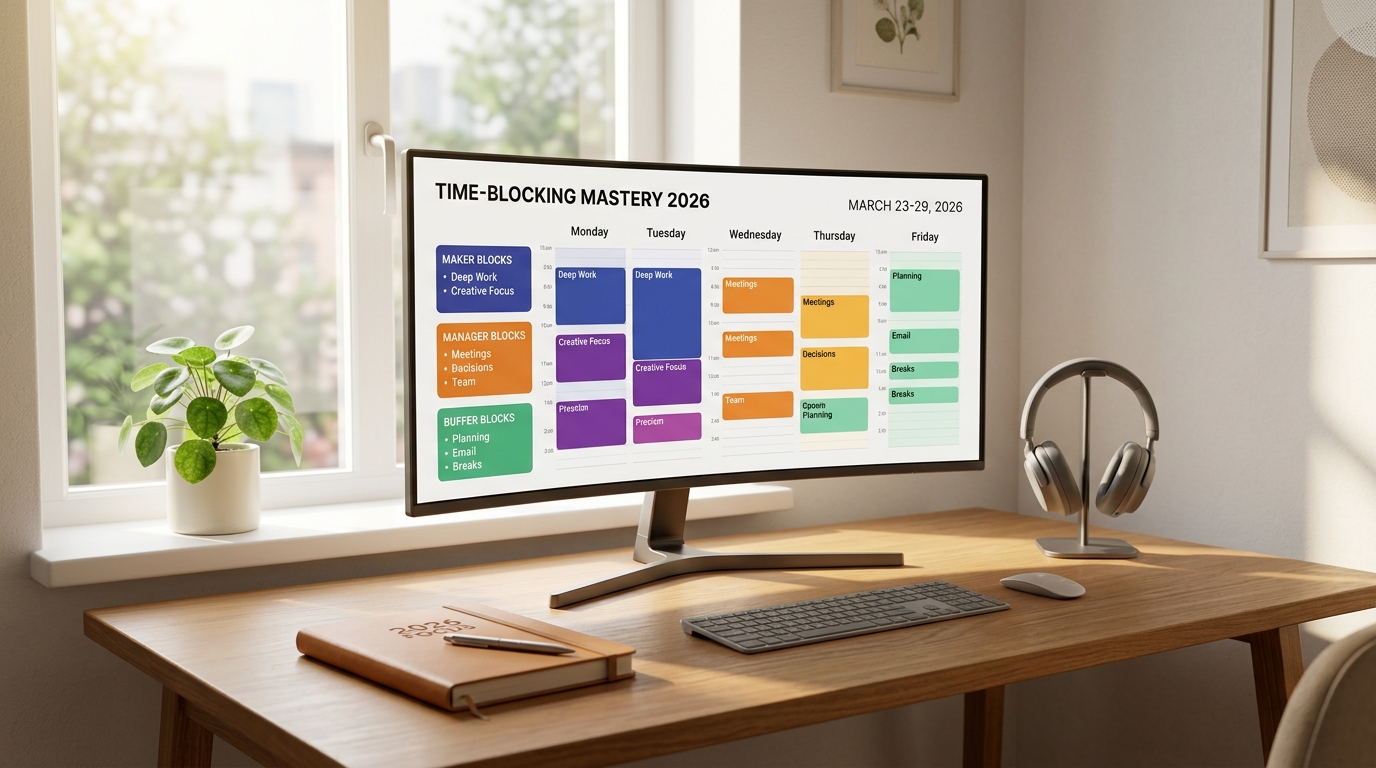
Rather than trying to micro-schedule every fifteen-minute increment—a rigid approach that inevitably collapses when meetings overrun—the 3-Bucket Time-Blocking system divides your working hours into three distinct cognitive states:
- Maker Blocks (High-Focus Deep Work): Uninterrupted 90 to 120-minute sessions dedicated entirely to high-leverage deliverables such as code architecture, strategic writing, financial modeling, or creative design.
- Manager Blocks (Coordination & Collaboration): Grouped 30 to 45-minute windows reserved for team syncs, stakeholder feedback, hiring interviews, and one-on-one reviews.
- Buffer Blocks (Triage & Administration): Designated 30-minute processing buffers positioned at the start and conclusion of the day to clear email queues, log project statuses, and review tomorrow’s priorities.
How to Structure Your Weekly Calendar for Peak Output
Implementing the 3-bucket architecture successfully requires strict boundary protocols. Follow these four tactical guidelines:
- The Golden Morning Rule: Schedule your primary Maker Block during your peak biological chronotype (typically 9:00 AM to 11:30 AM) before opening Slack, Teams, or email clients.
- Cluster Manager Blocks in the Afternoon: Compress all collaborative calls and interviews into tight afternoon windows (e.g., Tuesday and Thursday between 1:30 PM and 4:30 PM).
- Establish Meeting-Free Days: Dedicate at least one full workday per week (such as Focus Wednesday) with zero scheduled internal meetings.
- Pair Digital Scheduling with Physical Cleanliness: A structured schedule functions best within an uncluttered environment. Review our minimalist digital workspace setup to eliminate attention residue.
Reactive Scheduling vs. 3-Bucket Time-Blocking Mastery
Observe how shifting your operating system directly alters daily cognitive energy and deliverable velocity:
| Operational Aspect | Reactive To-Do List Approach | 3-Bucket Time-Blocking Mastery |
|---|---|---|
| Attention Management | Constant context switching between apps | Sustained 90-minute single-task immersion |
| Meeting Distribution | Scattered irregularly across the day | Clustered into predictable afternoon batches |
| End-of-Day Mindset | Guilt over uncompleted reactive tasks | Calm closure with verified milestone delivery |
| Weekly Strategic Output | Dominated by firefighting and admin | Guaranteed 10 – 15 hours of deep creation |
Recommended Digital Tooling for 2026
Modern productivity practitioners leverage seamless digital tools to automate their time-blocking frameworks. Integrate apps like Notion Calendar, Fantastical, or Google Calendar paired with Raycast shortcuts to execute rapid event creation and task synchronization in seconds. For deeper analysis on the cognitive tax of interruptions, read our breakdown of context-switching costs and deep work protection.
Frequently Asked Questions (FAQ)
What should I do when an urgent emergency breaks my Maker Block?
Build 30-minute Buffer Blocks into your schedule. If a genuine crisis occurs, shift your deep work session into an afternoon block rather than abandoning the deliverable entirely.
Is time-blocking suitable for managers with heavy meeting schedules?
Yes. Time-blocking is especially vital for managers because it prevents meetings from creeping into strategic thinking windows and ensures administrative duties are handled in designated batches.